Compare Text & Code Instantly
Diff two files, code snippets, or documents side by side — right in your browser. No uploads, no accounts, fully offline.
Add to Chrome — It's Free★ 5.0 rating • 1,000+ users
Everything you need to compare smarter
Side-by-Side & Unified Diff
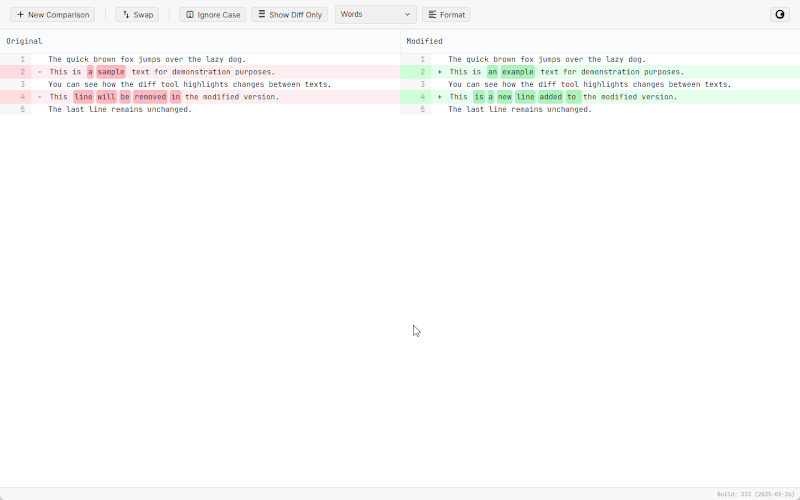
View changes in split or inline mode. Color-coded additions, deletions, and modifications with line numbers.
20+ Languages with Syntax Highlighting
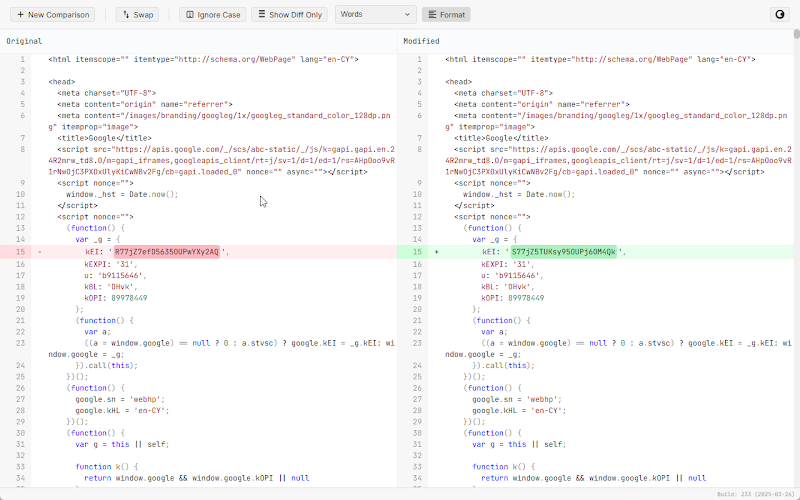
Compare JavaScript, Python, HTML, CSS, JSON, and more with automatic language detection and Prism-powered highlighting.
AI-Powered Change Summaries
Connect your OpenAI API key for concise explanations of what changed. Full-text or diff-only analysis modes.
Office Document Support
Compare DOCX and XLSX files converted to text right in the browser. No server uploads required.
Smart Formatting & Normalization
One-click code formatting, sort object keys, normalize whitespace, and reorder CSS properties before comparing.
100% Private & Offline
All comparisons run locally in your browser. No data leaves your machine. No tracking, no analytics, no accounts.
See It in Action
How It Works
Start comparing in under a minute.
Install the Extension
Add Diff Checker to Chrome in one click. Free and lightweight.
Paste or Upload Content
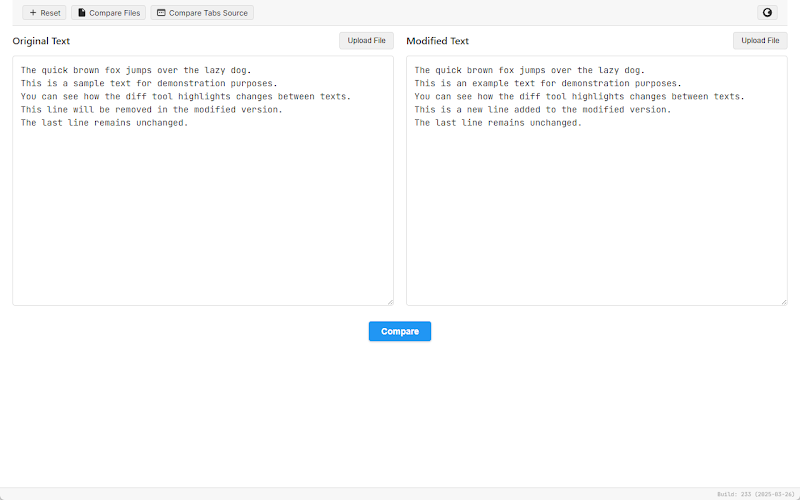
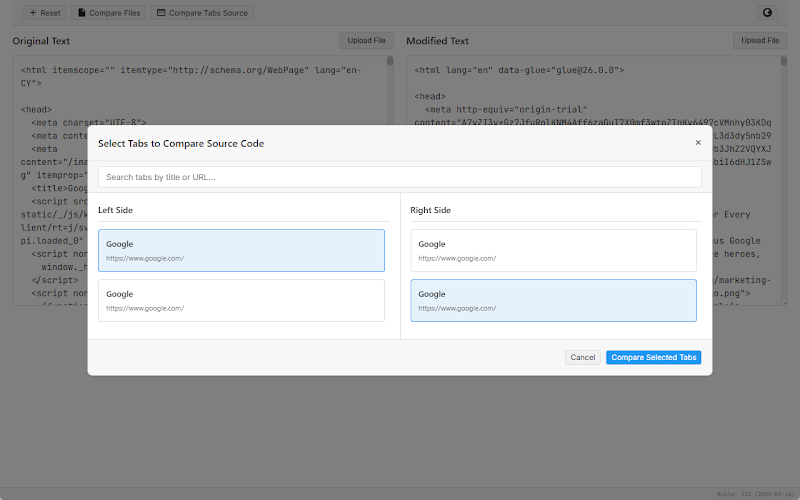
Paste two texts, upload files (code, DOCX, XLSX), or load source from open tabs.
See the Difference
Instantly view additions, deletions, and changes with color-coded highlighting.